
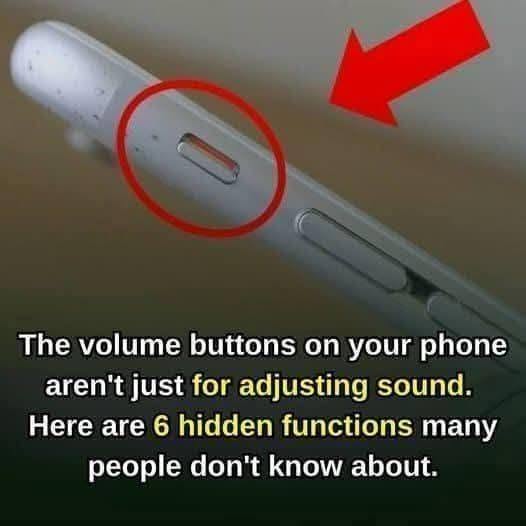
Most Smartphone Users Never Discover These Hidden Features—But They Can Save Time Every Day
Simple Smartphone Tricks That Can Make Your Device Faster, Smarter, and Easier to Use
For most people, a smartphone is one of the most frequently used tools in daily life.
We use it to communicate, navigate, shop, work, take photos, manage schedules, and stay entertained. Yet despite spending hours on our devices every day, many users only scratch the surface of what their phones can actually do.
Hidden beneath familiar icons and menus are powerful shortcuts and built-in features designed to save time, reduce frustration, and improve productivity.
The surprising part?
Many of these tools require nothing more than a quick button press or a simple setting adjustment.
If you’ve ever wished your phone worked a little faster or more efficiently, these lesser-known features may completely change the way you use it.
Silence Incoming Calls Instantly
We’ve all experienced that moment.
Your phone suddenly starts ringing during a meeting, class, appointment, or other quiet situation.
Fortunately, most smartphones offer a simple solution.
The Shortcut
On many devices, pressing either volume button while the phone is ringing will immediately silence the ringtone.
The call still comes through.
The caller isn’t sent to voicemail.
Your phone simply stops ringing out loud.
This quick trick allows you to handle interruptions discreetly without scrambling to answer or reject the call.
Launch Your Camera in Seconds
Some of life’s best moments disappear quickly.
That’s why smartphone manufacturers created shortcuts that help users access their cameras instantly.
Common Camera Shortcuts
Depending on your device, you may be able to:
- Swipe left from the lock screen
- Double-press the power button
- Use a dedicated camera gesture
- Tap a lock-screen camera icon
These shortcuts can save valuable seconds when trying to capture:
- Family moments
- Pets
- Travel memories
- Sporting events
- Unexpected photo opportunities
The faster your camera opens, the less likely you are to miss the moment.
Use Widgets to Save Time
Widgets are one of the most underutilized smartphone features.
Instead of opening multiple apps throughout the day, widgets allow important information to appear directly on your home screen.
Popular Widgets Include
- Weather forecasts
- Calendar events
- To-do lists
- Fitness tracking
- Music controls
- News headlines
- Battery information
By placing key information front and center, you can reduce the number of taps required to access what matters most.
Make Your Screen Easier on Your Eyes
Many people spend hours looking at their phones every day.
Over time, bright screens can contribute to eye fatigue, especially in dark environments.
Try Dark Mode
Dark Mode changes light backgrounds to darker tones, creating a more comfortable viewing experience.
Benefits may include:
- Reduced eye strain in low-light settings
- Improved readability for some users
- Potential battery savings on certain screen types
- A cleaner visual appearance
Use Night Mode
Many devices also include Night Mode or Eye Comfort Mode, which reduces blue light emissions during evening hours.
This feature is especially popular among users who read or browse before bedtime.
Extend Battery Life With Simple Changes
Battery life remains one of the biggest concerns for smartphone users.
Fortunately, small adjustments can often make a noticeable difference.
Battery-Saving Tips
- Lower screen brightness
- Enable automatic brightness adjustment
- Turn on battery saver mode
- Disable unused background apps
- Limit unnecessary notifications
- Turn off Bluetooth and GPS when not needed
These simple habits can help your battery last longer throughout the day.
Remove Digital Clutter
Just like a closet can become overcrowded, smartphones accumulate unnecessary files over time.
Unused apps, duplicate photos, downloads, and temporary files can consume valuable storage space.
Quick Cleanup Ideas
- Delete apps you no longer use
- Remove duplicate photos
- Empty the downloads folder
- Clear old screenshots
- Back up important files to cloud storage
A cleaner device often feels faster and more organized.
Keep Your Phone Updated
Software updates do much more than add new features.
They also provide:
- Security improvements
- Bug fixes
- Performance enhancements
- Battery optimizations
- Compatibility updates
Ignoring updates for extended periods may leave your device vulnerable to issues that have already been fixed.
Checking periodically for updates is one of the simplest ways to maintain smartphone performance.
Additional Hidden Features Worth Exploring
Depending on your phone model, you may also have access to:
Screen Recording
Capture tutorials, gameplay, or important information directly from your screen.
Focus Modes
Reduce distractions by limiting notifications during work, study, or sleep hours.
Voice Assistants
Use voice commands to send messages, set reminders, make calls, or control smart devices.
Emergency Features
Many smartphones include emergency contacts, medical information access, and location-sharing tools.
Built-In Scanners
Some camera apps can scan documents and convert them into PDFs without additional software.
Why Most Users Never Discover These Features
Many smartphone features are introduced during software updates and remain largely unnoticed.
Because phones generally work well right out of the box, users rarely explore advanced settings or hidden tools.
As a result, valuable features often remain unused for years.
Spending just a few minutes exploring your device’s settings can reveal capabilities you never knew existed.
Frequently Asked Questions
How do I silence a call without rejecting it?
On most smartphones, pressing a volume button while the phone rings will mute the ringtone without declining the call.
Does Dark Mode save battery life?
On devices with OLED displays, Dark Mode may help reduce power consumption.
Are widgets useful?
Yes. Widgets provide quick access to information without requiring you to open individual apps.
How often should I update my phone?
Installing updates when available is generally recommended for security and performance reasons.
Can deleting apps improve phone performance?
Removing unused apps can free storage space and reduce background activity that may affect performance.
You May Also Like
- Simple Ways to Make Your Smartphone Faster
- Hidden Android Features Most Users Miss
- iPhone Settings You Should Change Today
- Easy Battery-Saving Tricks That Actually Work
- How to Free Up Storage Space Quickly
- Smartphone Security Tips Everyone Should Know
Final Thoughts
Your smartphone is likely far more capable than you realize.
Many of its most useful features aren’t hidden behind complicated menus or expensive upgrades. They’re already built into the device you’re carrying every day.
From silencing calls discreetly and launching the camera instantly to customizing widgets and improving battery life, these small shortcuts can make a surprisingly big difference.
The best part?
You don’t need to buy a new phone or download additional apps.
Sometimes, the smartest upgrade is simply learning how to use the features you already have.