Car Key Fob Suddenly Stopped Working? Try These Easy Fixes Before Spending Hundreds
Engaging Introduction
We’ve all had that heart-dropping moment. You rush to your car, groceries in hand or already late for work, press the unlock button on your key fob… and absolutely nothing happens.
Instant panic.
Your mind jumps straight to expensive dealership repairs, towing fees, or a replacement remote that could cost hundreds of dollars. But according to automotive experts, most “dead” key fobs are not actually broken at all. In many cases, the issue is surprisingly simple — and fixable in just minutes at home.
Modern car key fobs are small pieces of technology that rely on batteries, radio signals, and internal programming to communicate with your vehicle. That means common issues like battery drain, signal interference, cold weather, or minor syncing problems can temporarily stop them from working. The good news? Most of these problems have easy, affordable solutions that do not require a mechanic.
Before you spend money on a dealership visit or replacement remote, here are the most effective troubleshooting tricks drivers should try first.
Why This Problem Happens So Often
Key fobs may be tiny, but they work hard every day. Over time, batteries weaken, buttons wear down, and signals become disrupted by electronics and weather conditions.
The most common causes include:
- Weak or dead battery
- Wireless signal interference
- Cold weather battery drain
- Dirt or moisture damage
- Lost synchronization with the car
- Internal wear and tear
Fortunately, many of these issues can be fixed in minutes.
1. Replace the Battery First (Most Common Fix)
Why It Works
Inside almost every remote key is a small button-cell battery, usually a CR2032 or CR2025. These batteries normally last between 2–4 years, but cold weather, heavy use, and age can drain them faster than expected.
A weak battery may still work occasionally, making the problem seem random and confusing.
How to Replace the Battery
- Look for a seam or notch along the edge of the fob
- Gently pry the case open using:
- A coin
- Small flathead screwdriver
- Butter knife
- Remove the old battery carefully
- Check the “+” side orientation before replacing
- Insert a fresh battery
- Snap the case shut securely
Pro Tip
High-quality batteries like Duracell or Panasonic usually last longer and provide more stable performance.
Keeping a spare battery in your glove box can save you a major headache later.
Is This a Cheap Fix?
Absolutely.
Most replacement batteries cost only a few dollars compared to dealership replacement fees that can range from $150–$400.
This is one of the easiest automotive DIY fixes drivers can do at home.
2. Your Body Can Boost the Signal
Why Key Fobs Sometimes Fail
Key fobs send low-frequency radio signals to your vehicle. These signals can be weakened or blocked by:
- Smartphones
- Laptops
- Power banks
- Metal surfaces
- Thick coats or bags
- Garage structures
The Strange Trick That Actually Works
Automotive engineers have confirmed that the human body can sometimes help amplify the signal.
Try This:
- Hold the key fob near your head or chest
- Press the unlock button again
- Move closer to the vehicle
Because the human body contains water, it can slightly extend the signal range in some situations.
It sounds strange, but many drivers swear by this trick.
3. Use the Hidden Emergency Key
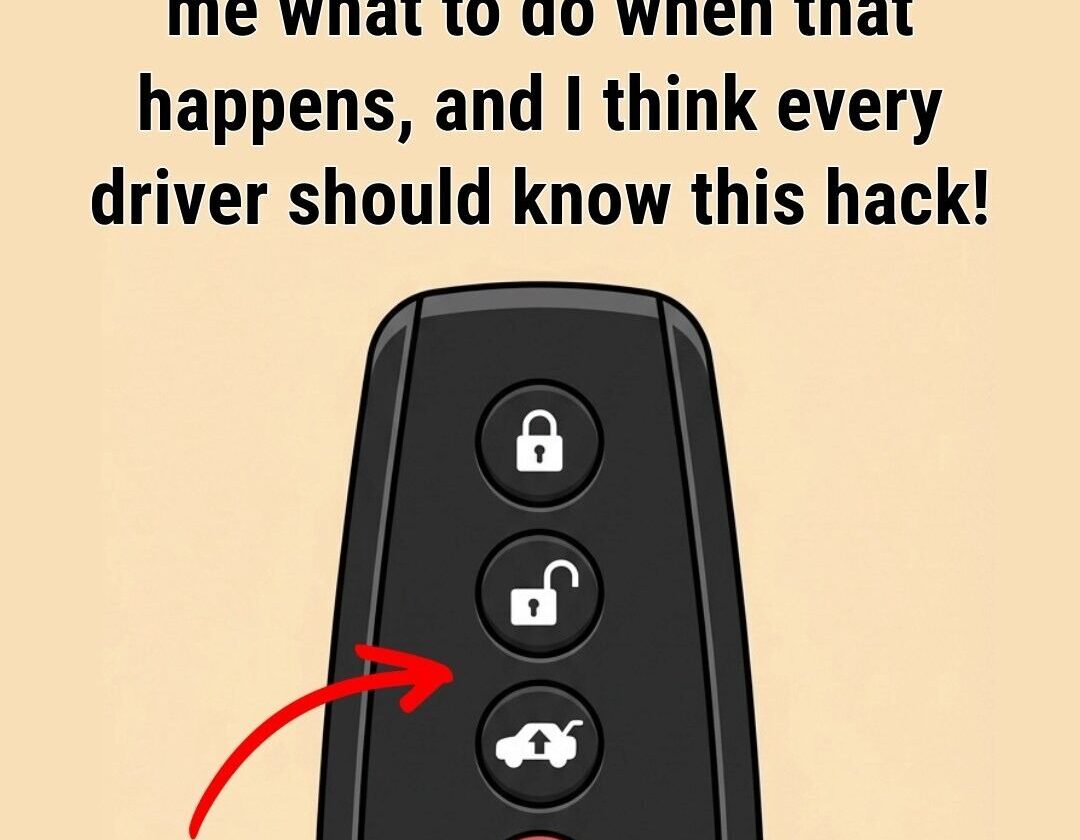
Many modern vehicles include a backup mechanical key hidden inside the key fob itself.
How to Find It
Look for:
- A sliding release switch
- Small button
- Tiny latch on the side
Pull the hidden metal key out carefully.
What It Does
You can use this emergency key to:
- Unlock the driver’s door manually
- Access the car even when the battery is dead
Some vehicles hide the keyhole beneath a removable cover on the door handle.
Starting Push-to-Start Vehicles
Even with a weak battery, many cars can still detect the chip inside the key fob.
Try This:
- Hold the fob directly against the START button
- Press the brake pedal
- Attempt to start the engine
Many drivers do not realize this emergency feature exists.
4. Reprogram the Key Fob After Battery Replacement
Sometimes the car and remote temporarily lose synchronization after a dead battery.
This happens frequently with certain models from:
- Toyota
- Honda
- Ford
- Nissan
- Chevrolet
Basic Reprogramming Steps
- Sit in the driver’s seat
- Close all doors
- Turn the ignition ON (without starting engine)
- Hold the LOCK button for 5 seconds
- Turn ignition OFF
- Test the fob
Some vehicles require specific sequences, so searching your exact car model online can help.
Why Reprogramming Matters
The vehicle and key fob communicate digitally. If that connection breaks temporarily, the car may stop recognizing the remote even after installing a fresh battery.
5. Cold Weather Can Temporarily Kill the Battery
Why It Happens
Freezing temperatures slow the chemical reactions inside batteries.
This can cause:
- Weak signal strength
- Delayed response
- Temporary failure
Quick Cold Weather Fix
- Warm the fob in your hands
- Place it in your pocket for 1–2 minutes
- Breathe gently on it
Often, warming the battery slightly restores enough power for the remote to function again.
Avoid:
- Hair dryers
- Heaters
- Microwaves
- Direct heat sources
Extreme heat can permanently damage electronics.
6. Check for Hidden Damage
If the battery is new and the signal still fails, inspect the inside carefully.
Common Problems Include
Corrosion
White or green buildup on battery contacts can interrupt power flow.
Sticky Buttons
Dust, grime, or spilled liquids may block button contact.
Moisture Damage
Rain or accidental water exposure can damage internal circuits.
How to Clean It
- Use rubbing alcohol and a cotton swab
- Gently wipe battery contacts
- Let everything dry completely
If the fob got wet:
- Remove battery immediately
- Place in dry rice or silica packets for 24 hours
When You Should Call a Professional
Most key fob problems are minor, but sometimes professional help is necessary.
Signs You May Need Service
- The car receiver itself has failed
- Severe water damage
- Cracked internal circuit board
- Complete programming failure
Money-Saving Tip
Many auto parts stores offer:
- Free battery testing
- Free key fob testing
- Affordable replacement options
This is often much cheaper than dealership pricing.
Tips for Preventing Future Key Fob Problems
Keep It Dry
Water exposure is one of the fastest ways to damage electronics.
Avoid Dropping It
Repeated impacts can loosen internal components.
Replace Batteries Early
Don’t wait until the battery fully dies.
Store Spare Batteries
A backup battery costs very little and can save major stress later.
Clean It Occasionally
Dust and debris can build up around buttons over time.
Frequently Asked Questions
Why does my key fob only work sometimes?
Usually because of a weak battery or signal interference.
Can a dead key fob still start the car?
Often yes. Many push-to-start vehicles can detect the transponder chip at close range.
How long do key fob batteries last?
Typically 2–4 years depending on usage and weather.
Can cold weather affect my key fob?
Yes. Low temperatures temporarily weaken battery performance.
Do I need to go to the dealership for a new battery?
No. Most batteries can be replaced at home in under two minutes.
You May Also Like
- Easy Car Maintenance Tips Every Driver Should Know
- Signs Your Car Battery May Be Failing
- Hidden Features Most Modern Cars Have
- Simple DIY Fixes That Save Drivers Money
- Common Car Problems You Should Never Ignore
- Smart Driving Habits That Extend Vehicle Life
Final Thoughts
Your key fob may feel like complicated technology, but most failures come down to a few simple issues: low batteries, signal interference, cold weather, or temporary syncing problems.
That means the fix is often much easier — and cheaper — than people fear.
Before spending hundreds on replacements or repairs, take a few minutes to troubleshoot. A tiny battery swap or quick reset could save you time, money, and unnecessary stress.
Sometimes the smallest device in your pocket causes the biggest panic… and the simplest relief.